Know what you have, and where it is.
A simple inventory program for your home, a collection, a workshop or a warehouse. No internet and no subscription.
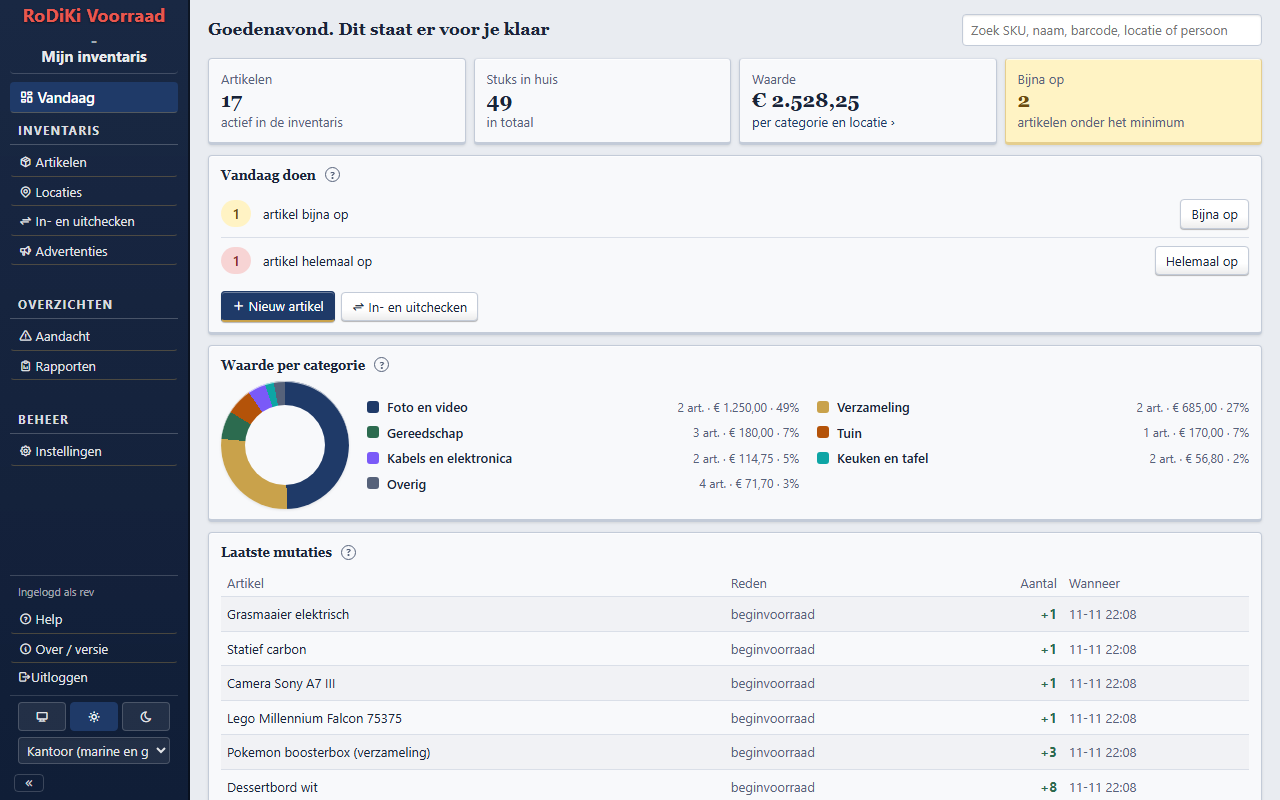
Everything in one place
Know what you have
Items with photos, quantities, value and location. Only an item number and a name are required; switch off what you do not use.
Locations
Cupboard, room or box: see right away what is inside.
Check in and out
Take things out or put them back, and undo it if needed.
Labels and QR codes
Print labels on any printer or a label printer. Scanning opens the item or the location.
Reports
As PDF, Excel or CSV, for example for your insurance.
Backups
Automatic, to a folder or network folder.
Selling
Ready-made ad text per marketplace, and keep track of where something is for sale.
Optional: the companion app for your phone
Want to scan with your phone? Then also install the Android app. It works together with the program on your PC; no data is stored on the phone itself.
- Scan a barcode or QR code and the item or location opens.
- Add or remove stock, and count.
- Take photos and add them to an item right away.
- Connect it with the QR code the program on your PC shows.
Questions
Is the program in English?
Not yet. RoDiKi Voorraad ("voorraad" is Dutch for stock) currently has a Dutch interface; an English version is planned.
Is it really free?
Yes. No trial, no subscription and no account with us.
Do I need internet?
No. The program runs on your own PC. It only goes online briefly to check for updates.
Do I have to use the phone app?
No, the app is an extra. Everything also works on the PC alone. The app only works when your PC is on and on the same network.
Can I use more than one computer?
Yes. One computer is the main computer; other computers and phones connect to it on your own network.
Why does Windows or Android show a warning when installing?
The program and the app are not distributed through a store. On the PC, choose "More info" and "Run anyway"; on Android, allow installing from this source.
Download
Android companion app (optional)
For Android. Works together with the program on your PC.
Download the app